Coach Product Update: March 2026
Making Coach easier to deploy and trust at scale
Coach now supports or has supported about 125,000 users across higher education, workforce development, and nonprofit partners. As that number has grown, so has the importance of a question we hear from institutional teams: how do we deploy this responsibly without adding more work for our staff?
Last month, we described how Coach is evolving into an ongoing system of career guidance, one that supports learners between advising touchpoints, not just during them. This month's updates focus on what it takes to run that system well. We've invested in reducing coordination overhead for staff, strengthening the privacy and quality infrastructure behind Coach, and helping learners get to value faster on their own.
Reducing coordination overhead for institutional teams
Deploying Coach across a program or campus involves real logistics: assigning activities, onboarding advisors and learners, tracking who's done what. These updates are designed to make that coordination lighter.
Assignments are now visible to the entire cohort team. All admins and advisors in a cohort can see every assignment and who created it. Admins can manage all assignments; advisors can manage the ones they created. This makes it easier for teams to stay aligned and avoid duplicating work, especially in larger programs with multiple staff members managing the same learner population.
We've also added automated reminder emails for pending classroom invitations. Invitations can get buried in inboxes, and when they do, learners and advisors simply don't show up. Both groups now receive follow-up reminders, and admins can see pending invite status directly in the license management view. It's a small change, but in our experience, onboarding friction is one of the most common reasons deployments stall.
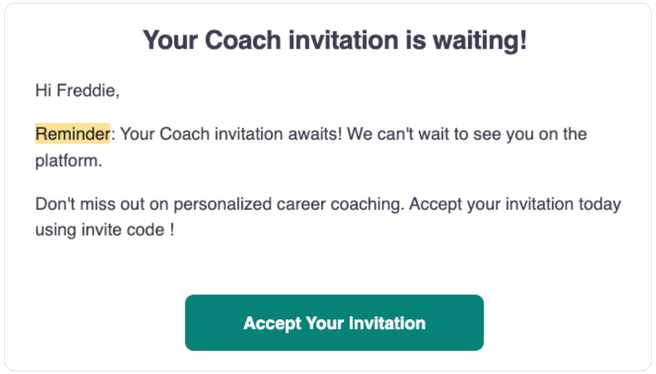
An example of an automated invite reminder
Strengthening the trust and quality infrastructure behind Coach
Institutions deploying AI tools need confidence that those tools handle sensitive data responsibly and maintain quality as the technology evolves. Two updates address this directly.
Coach now automatically detects and redacts personally identifiable information from chat messages and uploaded resumes. This reduces the risk of sensitive data being stored unnecessarily and adds another layer of privacy protection for learners. We're also preparing to notify users when redaction occurs and provide a link to more information about the approach.
On the quality side, we've built a regression testing framework that allows us to evaluate new AI models and prompt configurations without risking a drop in output quality. The system uses synthetic learner personas derived from real conversation data, an ensemble of evaluator models to score outputs on dimensions like tone and actionability, and deterministic checks for known failure modes like hallucinated URLs. This means we can take advantage of improvements in the AI landscape, whether that's faster models, cheaper models, or better-performing ones, while maintaining the standard institutions expect. For a detailed look at how this works, our engineering team published a full walkthrough: Regression Testing LLM-Driven Applications.
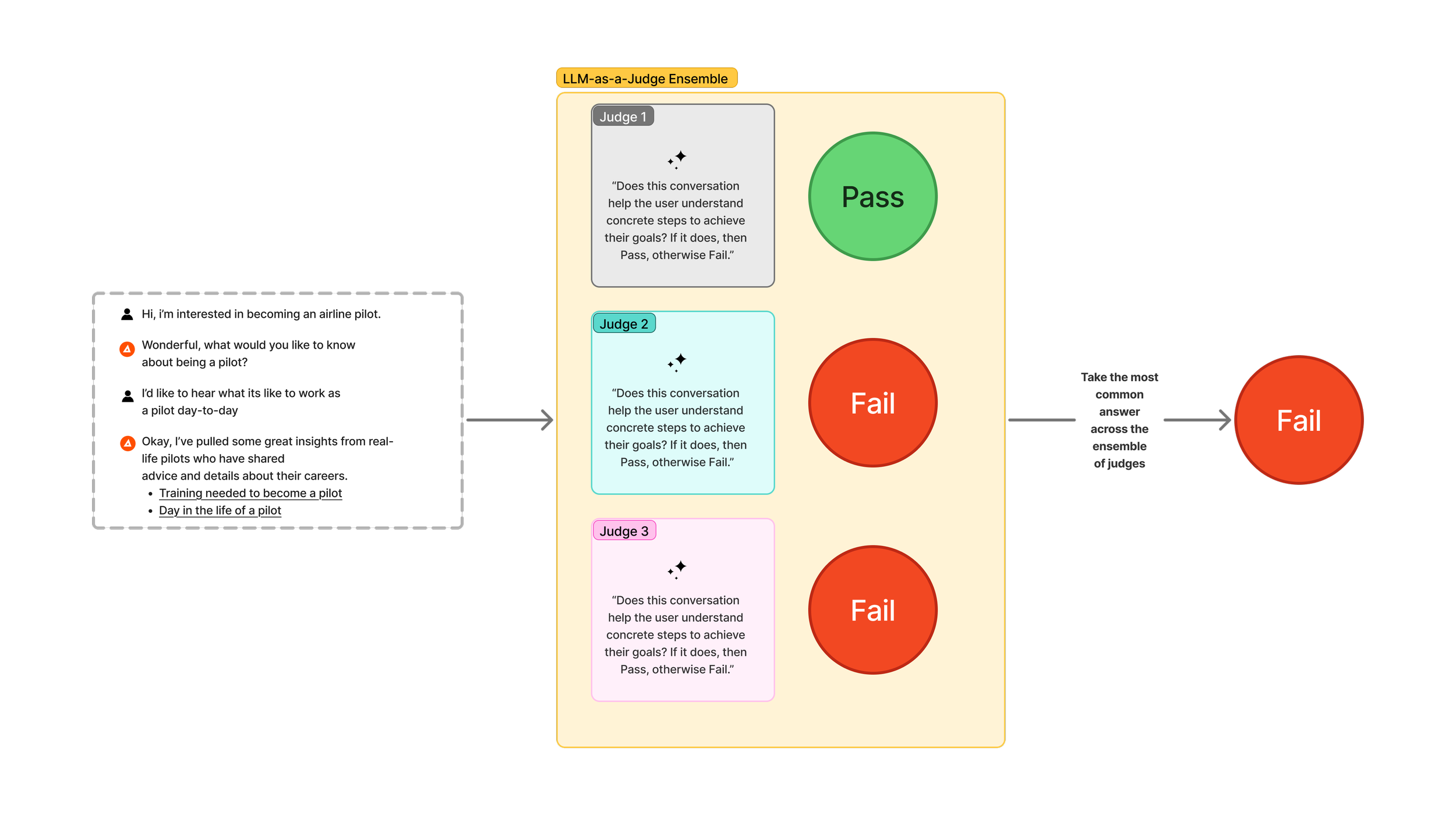
The LLM-as-a-Judge Ensemble is one of the techniques we use to evaluate AI models and prompt configurations for quality.
Helping learners get started faster
The less hand-holding learners need to get going with Coach, the less strain on staff. Two updates reduce that initial friction.
The career goal setting flow now surfaces a learner's previous onboarding answers and any earlier uploaded resume. Instead of starting from scratch each time they revisit their goals, learners can review what they've already shared and build from there. This makes goal setting quicker and more informed, and it reinforces the sense that Coach is keeping track of their progress over time.
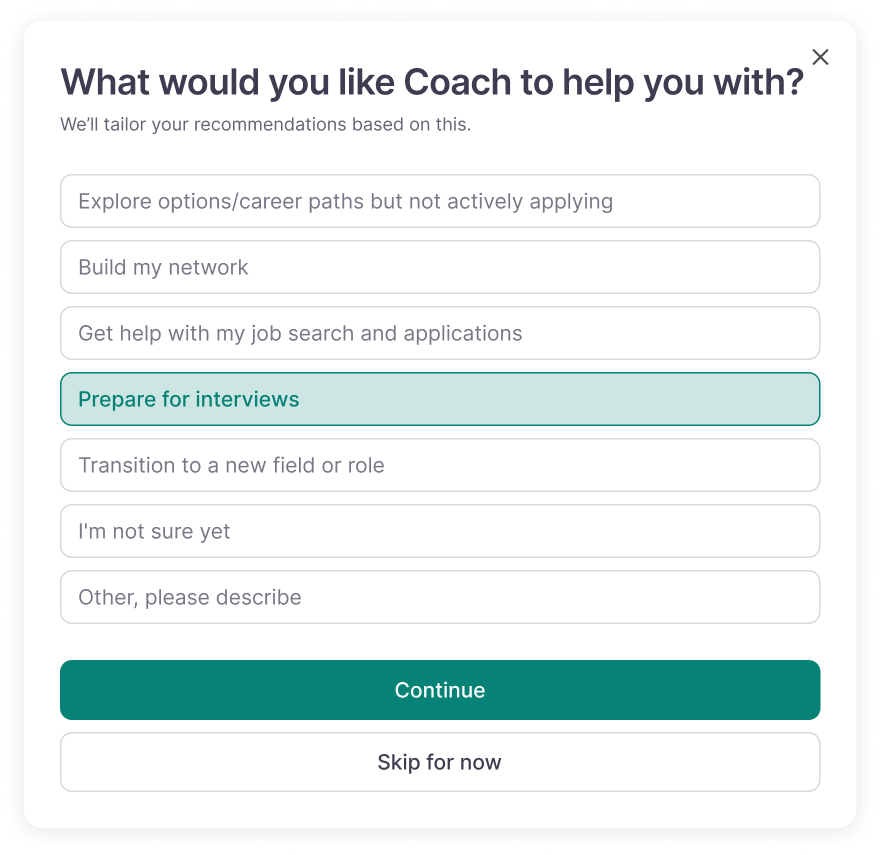
How it looks: A user with a pre-filled goal.
We've also improved the performance of login, authentication, and onboarding pages. These now load faster and respond more smoothly. It's the kind of change that's invisible when it works, but a quicker first impression matters, especially for learners who are trying Coach for the first time through a partner site or embedded widget.
Coming next
In the coming months, we'll begin rolling out several capabilities that have been in development:
Proactive Coach rollout. We've been preparing Coach's proactive follow-up features for launch, including clearer call-to-action rules, message length guidance, suggested send times, and opt-out configurations. We're planning to begin with a subset of highly engaged users and expand from there.
A redesigned homepage that brings general chat and guided activities into a more unified starting point. This is currently in testing and we expect to ship it soon.
Onboarding email series designed to help new learners activate and build a habit of returning to Coach, reducing the need for staff to drive engagement manually.
Omnichannel messaging. We're working to make Coach accessible outside the web app through channels like SMS and WhatsApp, meeting learners where they already communicate.
Coach widget on CareerVillage Q&A. We plan to embed Coach directly into the post-question experience on CareerVillage.org, so learners can get immediate support while they wait for community answers.
We're continuing to build Coach into a system that institutions can trust and scale without overextending their teams. If you'd like to see these updates in action or talk about how Coach could support your learners, we'd be glad to connect.